Record on your phone
Save up to 60 seconds of engine sound. Stay clear of hot or moving parts and record only when it’s safe.
A listening companion for the sounds
you don’t quite recognise.
Android + iOS
Currently in private testing
A strange idle. A new rattle. Capture what you’re hearing while it’s happening, so you can listen again and share the context with your mechanic.
Save up to 60 seconds of engine sound. Stay clear of hot or moving parts and record only when it’s safe.
Replay the recording and revisit it in History. Audio stays on your phone until you choose to send it for analysis.
Private testers can upload a saved recording and see experimental matches to the original training-dataset labels.
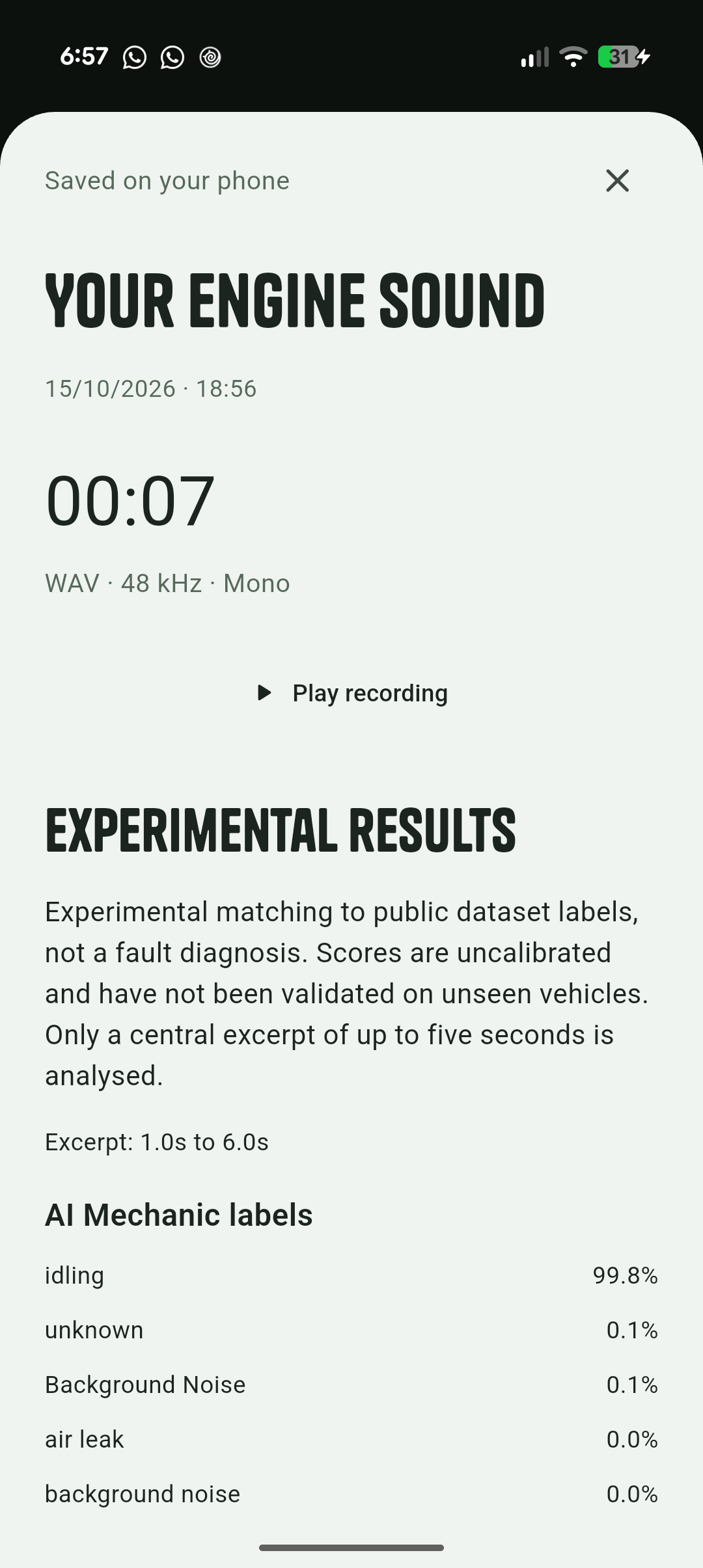
We’re developing Engine Fix with BEATs audio classifiers. Today, the model compares a short excerpt with labels from public sound datasets.
Those labels and scores are shown as they are. They aren’t validated fault diagnoses, confidence in a repair, or proof that your car is safe to drive.
The next step is mechanic-labelled recordings and testing on unseen vehicles. If a sound concerns you, have a qualified mechanic inspect the car.
Engine Fix is in private testing on Android and iOS. Public app downloads aren’t available yet. If you’re already a tester, use the build and access token supplied by the app team.
Saved WAV recordings stay in the app’s private storage. Analysis uploads only the recording you choose. The current backend does not save or log audio. Uninstalling the app removes its local recordings.
Not yet. The current experiment returns source-dataset labels, not confirmed faults or repair advice. Scores are uncalibrated and have not been validated on unseen vehicles.
The app connects to our HTTPS analysis service. Enter the current testing token on the saved-recording screen, then tap Analyse engine sound. The token is kept in memory for that session.